AERONET Instrument Troubleshooting Interface - Solutions for SENSOR HEAD TEMPERATURE ISSUES Flag
Description The optical filters and InGaAs detector inside the sensor head have rated operating temperature ranges. At extreme temperatures, detector sensitivity shifts and filter transmission changes, introducing errors into the radiometric measurements.
Condition(s) Flag if Temperature >55C and below -30C when this condition occurs more than 2 times per day or 7 times per week.
How To Check/Test Model 4: VIEW > BAT > red button (twice) Model 5: VIEW > InsH Model T: MEASURES > Temperature
Solution Level 1 (< 5 minutes) 1. Check/reseat the the connector panel and both ends of the sensor head cable.
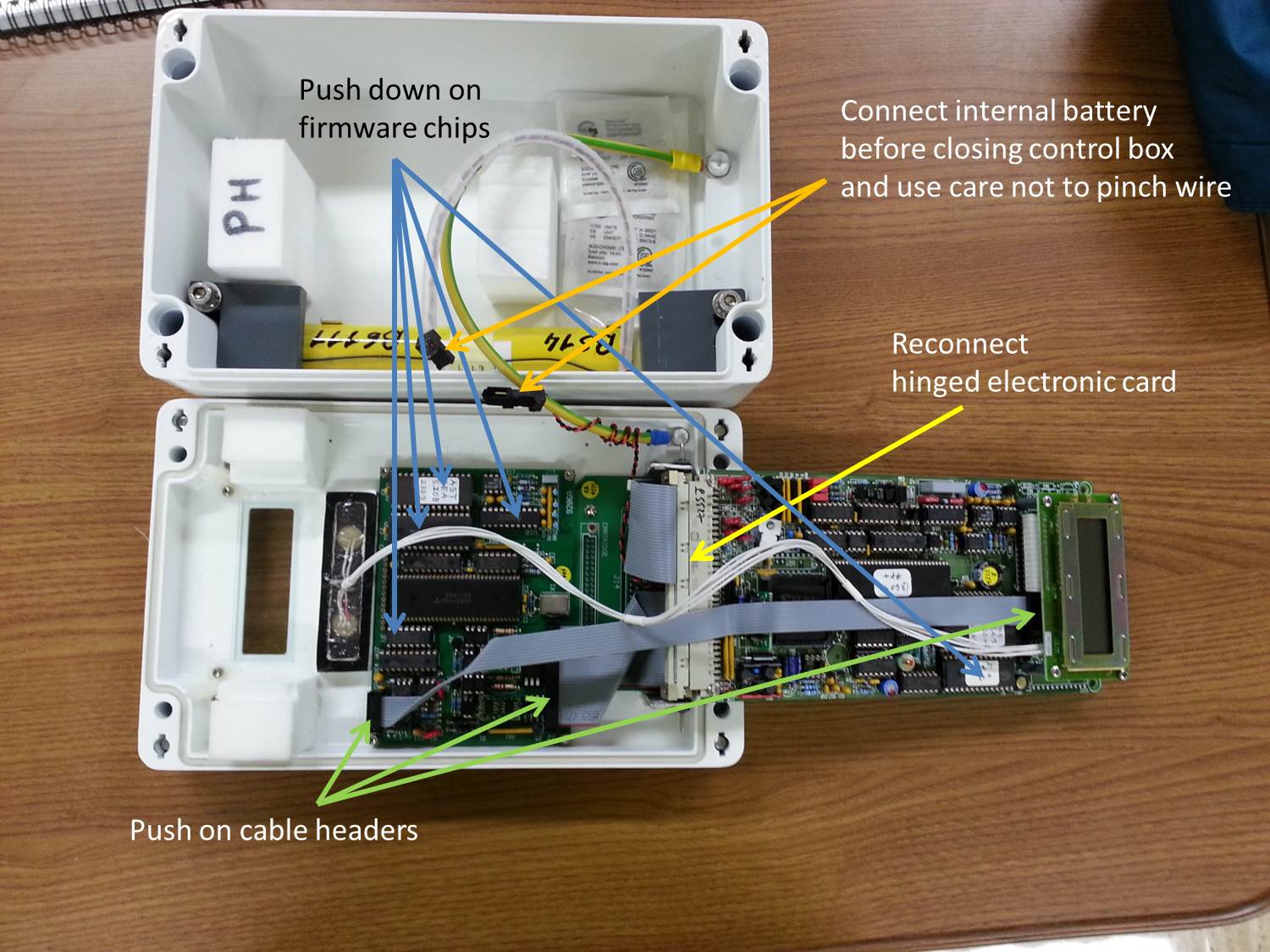
Solution Level 2 (more involved) Model 4 and 5: 1. Check/reseat internal connections. See Internal check control box.jpg 2. Try a different cable and connector panel (if available).
Model T: 1. Try a different cable and connector panel (if available).
Solution Level 3 (last resort) 1. Replace sensor head cable or connector panel. 2. Return instrument for maintenance.